Modern financial management is all about speed, efficiency, and—most importantly—cost-effectiveness. For users navigating the digital economy, the ability to move funds without being burdened by heavy fees is a game-changer.
Join us in this blog as we explore the exciting new update from Jeton, where European users can now enjoy Free Google Pay Deposits with Jeton! This transition marks a significant milestone in Jeton’s mission to provide seamless financial services.
Whether you are topping up to shop online, sending money to a friend, or managing your corporate treasury, the removal of the previous 5% deposit fee means more of your money stays exactly where it belongs: in your pocket.
In the following sections, we will break down everything you need to know about this update, from the technical "how-to" of Google Pay to the expansive ecosystem of Jeton Finance. Let’s start to dive in!
What Is Jeton and How Does Jeton Payment Work?
Before we dive into the specifics of the new fee-free deposits, it is essential to understand what is Jeton. At its core, Jeton is a comprehensive, global online payment account and digital wallet for international payments designed to bridge the gap between traditional banking and the decentralized web.
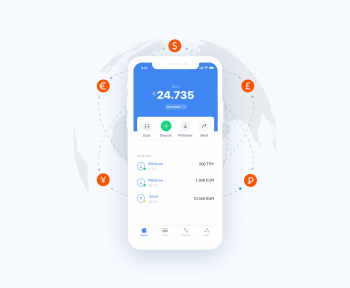
The Jeton app serves as a high-performance hub where over 1 million happy users manage their wealth. Licensed and regulated, Jeton provides a secure environment for Jeton payment processing, offering a multi-currency account that supports over 50 different currencies.
This flexibility makes it a preferred choice for those who need to send money abroad instantly or receive money with Jeton without the delays typical of correspondent banking. Beyond personal use, the ecosystem includes Jeton Business, Jeton Merchant, and Jeton Merchant Account services, allowing enterprises to scale globally.
With deep roots in the UK and Europe, and specialized focus areas like Jeton Japan, Jeton Poland, Jeton Germany, and Jeton EU, the platform ensures local relevance on a global scale. This is further cemented by high-profile Jeton partnerships, most notably the Jeton West Ham United collaboration, which highlights the brand's presence in the heart of London and the Premier League.
How to Install and Use Google Pay for Jeton Deposits
If you are new to the world of mobile wallets, learning how to install and use Google Pay is the first step toward fee-free deposits. Google Pay (often integrated with Google Wallet) is a secure, encrypted platform that stores your payment information, allowing you to pay in stores, in apps, and on the web.
How to Use Google Pay Step by Step
- Download the App: Visit the Google Play Store (for Android) or the App Store (for Google Pay on iPhone) and search for "Google Wallet" or "Google Pay."
- Sign In: Use your existing Google Account to log in.
- Add Your Card: Tap "Add to Wallet" and select "Payment card." You can then follow the instructions on how to add credit card in Google Pay by scanning your card with your camera or entering details manually.
- Verify: Your bank will send a verification code (OTP) via text or email to confirm you are the authorized user.
- Ready to Pay: Once verified, you can now use this as your primary method for how to pay using Google Pay within the Jeton app.
How to Add Credit Card in Google Pay and Link Jeton Finance
One of the most common questions from new users is how to use credit card in Google Pay to fund their Jeton account. The process is designed to be "one-and-done." Once your card is stored in the Google ecosystem, you no longer need to type in your 16-digit number every time you want to make a Jeton payment.
When you link a card, Google Pay uses "tokenization." This means your actual card number is never shared with Jeton or the merchant. Instead, a virtual payment address Google Pay generates a unique transaction code. This ensures that even if you are using a virtual debit card or a prepaid card for online payments, your sensitive data remains hidden.
Google Pay Limit Per Day and Jeton Transaction Limits
To maintain a secure ecosystem and help users manage their budgets, both Google and Jeton implement certain boundaries. Understanding the Google Pay transaction limit is vital for high-volume users or businesses.
Jeton’s Google Pay Deposit Limits (Europe):
|
Limit Type |
Amount |
|
Google Pay limit per transaction |
Up to 1,500 EUR |
|
Google Pay limit per day |
Up to 5,000 EUR |
|
Monthly limit |
Up to 10,000 EUR |
These limits provide ample flexibility for everyday spending while ensuring that Jeton Finance remains compliant with global anti-money laundering (AML) and security standards.
If you reach your Google Pay transaction limit for the day, you simply need to wait 24 hours for the window to reset, or use one of the other 50+ payment methods available in your multi-currency wallet account.
Virtual Card for Secure Payments: Jeton Card and Virtual Debit Card
While you can use Google Pay to deposit into Jeton, what happens when you want to spend those funds? This is where the Jeton Card and the Jeton Virtual Card come into play. Jeton provides secure debit cards that allow you to access your balance anywhere Visa is accepted.
The Power of the Jeton Virtual Card
The virtual card is a digital-only version of your debit card, accessible immediately upon generation in the Jeton app. It is specifically designed as a virtual card for secure payments in the e-commerce space.
- Privacy: It keeps your online account without traditional bank details private from merchants.
- Control: You can set specific spending limits or freeze the card instantly if you suspect any unauthorized activity.
- Global Reach: It is the perfect prepaid card for online payments on international sites, especially when paired with a multi-currency wallet account to avoid conversion fees.
How to Use Google Pay for Payment: A Step-by-Step Deposit Guide
Now that the 5% fee is gone for European users, let's walk through the actual process of how to use Google Pay for payment to top up your Jeton balance.
- Open the Jeton App: Ensure you have the latest version of the app installed.
- Select Deposit: Navigate to the "Deposit" section and choose "Google Pay" from the list of methods.
- Enter Amount: Input the amount you wish to deposit (remember the 1,500 EUR per transaction limit).
- Confirm in Google Pay: A Google Pay pop-up will appear. Select your preferred card and confirm with your biometric ID (Fingerprint or Face ID).
- Success: You will see a Google Pay payment successful notification, and your Jeton balance will update instantly.
After a successful top-up, you can view your transaction reference number in Google Pay or within your Jeton history to keep your accounting precise.
Google Pay Business and Jeton Merchant Services
For our corporate users, Google Pay business integration is a vital tool for reducing operational bottlenecks. By using a Jeton business account, companies can accept payments from customers who prefer the speed of Google Pay.
A Jeton merchant account allows you to reach a global audience of "mobile-first" shoppers. When a customer uses Google Pay at your Jeton merchant checkout, they don't have to fill out long forms, which significantly increases conversion rates.
Furthermore, because Jeton Bank and finance services are unified, the funds are settled quickly, providing the liquidity necessary for a growing business.
Jeton Partnerships and Global Reach: West Ham and Beyond
Jeton’s growth is fueled by trust and high-level visibility. The Jeton West Ham United partnership is a prime example of this. As the "Official Unified Finance App Partner" of the club, Jeton has demonstrated its commitment to the UK and international markets.
This global presence extends through specialized regional support:
- Jeton Germany & Jeton Poland: Providing localized payment methods and fee-free Google Pay deposits for the heart of Europe.
- Jeton Japan: Helping Asian markets connect with Western merchants through a seamless digital wallet for international payments.
- Jeton EU: Serving as the regulatory anchor for the multi-currency account services that allow users to send money with Jeton across borders without friction.
Conclusion: Wrapping Up the Future of Your Finances
The removal of the 5% deposit fee for Google Pay in Europe is more than just a discount—it is an invitation to experience financial freedom. By combining the security of Google’s "tokenized" payments with the versatility of a Jeton multi-currency wallet account, you are equipped with the most advanced tools in modern fintech.
You can now send money abroad instantly, spend via a virtual debit card, and manage your wealth without the high costs or "red tape" of a traditional bank. Are you ready to stop paying unnecessary fees and start mastering your money?
Whether you are a freelancer in Poland, a business owner in Germany, or a shopper in the UK, Jeton is the bridge to your digital future. Join over 1 million happy users who have already made the switch to a smarter, faster, and more secure way to pay.
Download the Jeton App today via the App Store or Google Play, sign up, and make your first free deposit!